banner

Speakoo


Category

  • Web Development

Tools

  • React
  • JavaScript

Year

2024

Speakoo is an innovative app designed to help individuals, especially those with autism, effectively communicate by using illustrated images and sound playback. The app is focused on providing users with easy access to expressions and minimizing the time and effort needed to convey sounds in conversations. Through Speakoo, users can select images representing expressions, prompting the app to play corresponding sounds, facilitating smoother communication.


Defining the Problem

Many individuals with autism or communication difficulties struggle to express themselves in conversations, often facing challenges in quickly conveying their needs or emotions. Traditional communication tools can be cumbersome, time-consuming, and overwhelming, leading to frustration for both the users and their caregivers. The problem lies in the lack of an intuitive, user-friendly tool that can simplify the communication process, making it quicker and more accessible.

The Goal

The primary goal of Speakoo was to create a communication tool that is not only effective but also easy to use. The app needed to provide a platform where users could quickly find and select expressions, with the app playing corresponding sounds to facilitate communication. Additionally, the app aimed to offer a favoriting function, allowing users to store frequently used expressions for instant access, thus improving the responsiveness and efficiency of communication.

Key Features

Sound Playback: Users can select expressions from the app, which then plays corresponding sounds, aiding in communication.

Favorites: A personalized space where users can store their most frequently used communication cards for quicker access.

Illustrated Categories: The app includes various categories such as Basic Conversations, Emotions, and Food, each represented by intuitive images and labeled text for clarity.

Target Audience

Primary: Individuals diagnosed with autism spectrum disorder (ASD), their caregivers, parents, and educators, as well as speech therapists.

Secondary: Those interested in supporting autism-related communication, educators seeking inclusive strategies, and researchers focused on autism awareness.

Mockups & Design

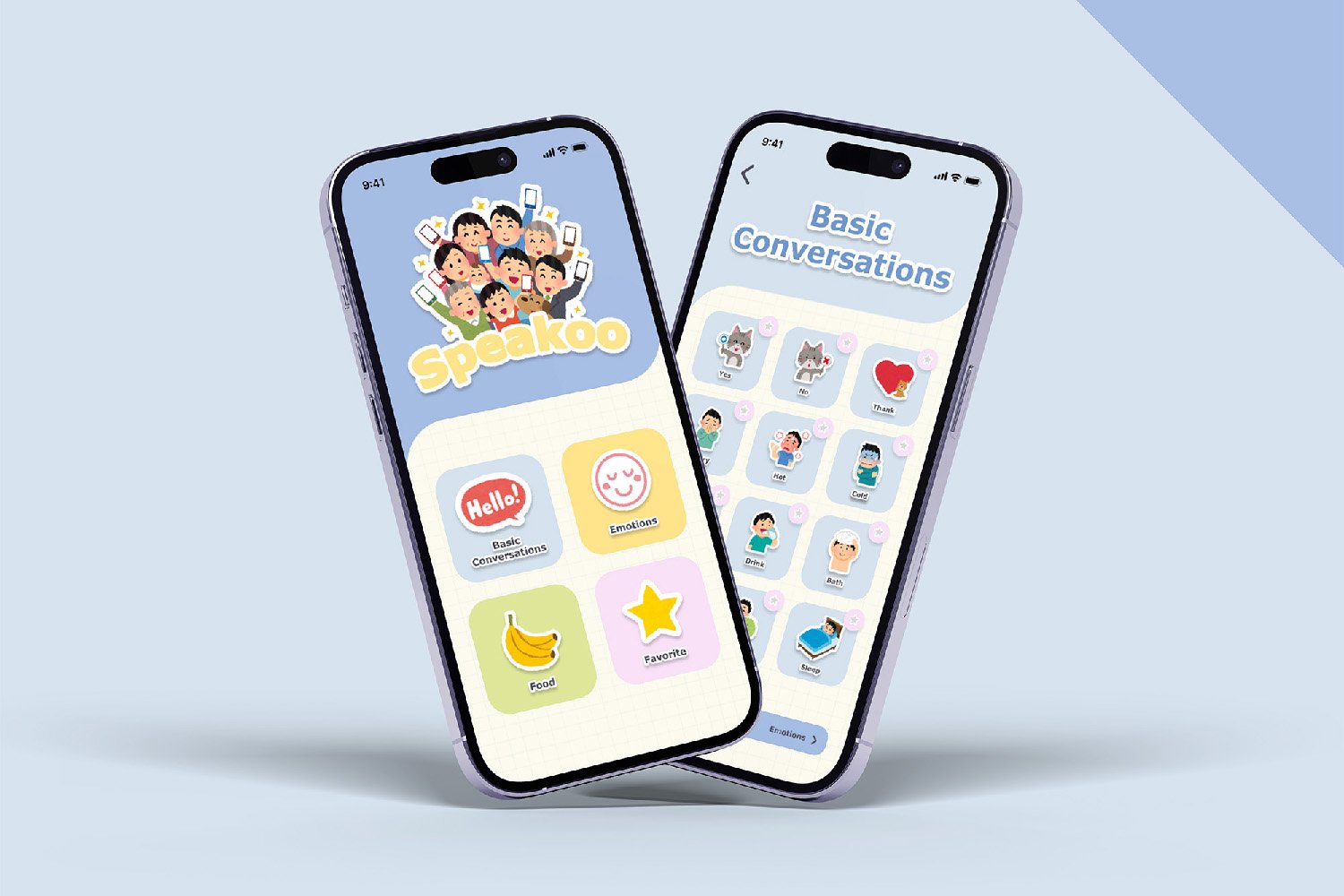
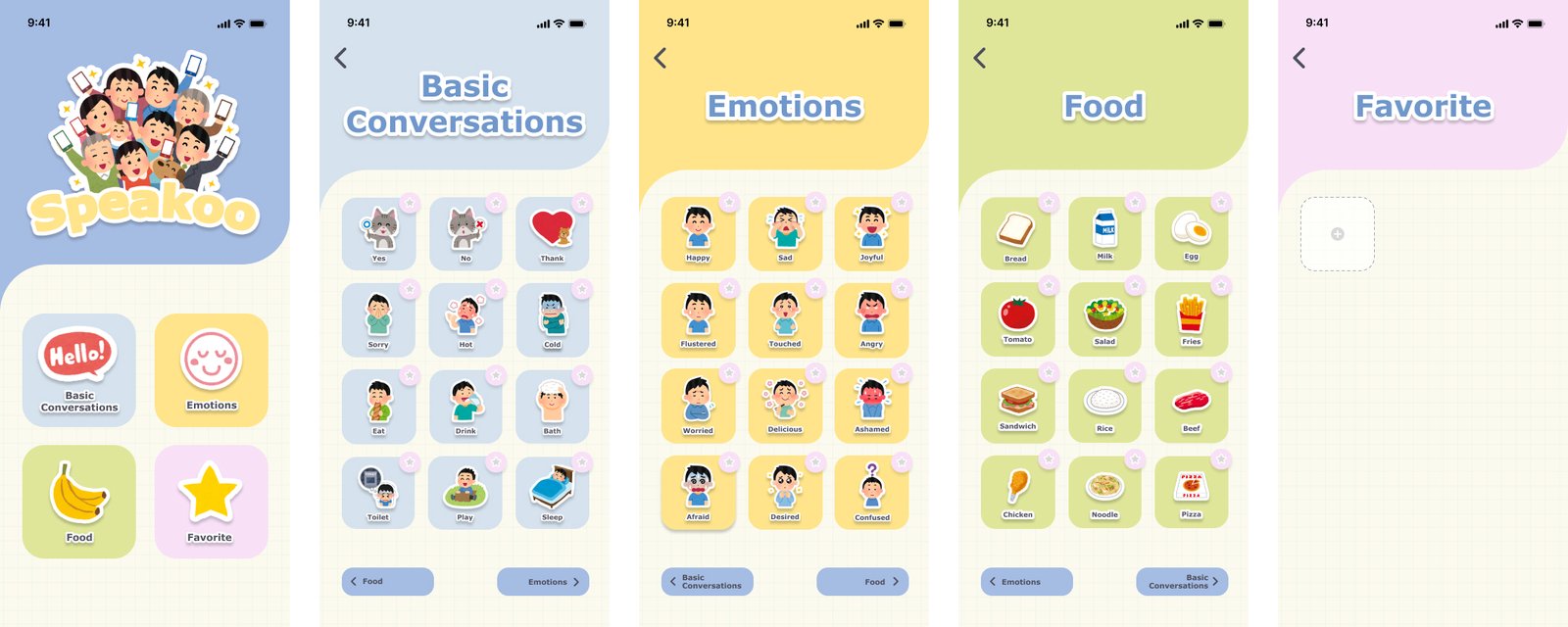
Users can seamlessly navigate through the app’s categories from the home screen, triggering sound playback by interacting with communication cards. Favorites can be easily managed by tapping the star icons, and navigation is streamlined through intuitive on-screen buttons.

Home ScreenFeatures the main categories including Basic Conversations, Emotions, Food, and Favorites. Each category is represented with a unique, colorful icon for easy recognition.

Basic Conversations: Displays multiple communication cards such as ‘Yes’, ‘No’, ‘Thank you’, as well as actions like ‘Eat’, ‘Drink’, ‘Play’. Each card is coupled with a simple, intuitive image to represent the word. Each card has a like button to add the card into the favorite section.

Emotions: Similarly with Basic Conversations and Food screens, it contains a collection of emotion cards like ‘Happy’, ‘Sad’, ‘Angry’, ‘Joyful’. The cards showcase expressive characters that visually depict each emotion. Each card has a like button to add the card into the favorite section.

Food: Similarly with Basic Conversations and Emotion screens, it offers a variety of food item cards such as ‘Bread’, ‘Milk’, ‘Tomato’, ‘Salad’. Images accompany each food term for visual identification. Each card has a like button to add the card into the favorite section.

Favorites: This is a personalized space where users can store their most frequently used cards. The section adapts as cards are 'liked' and added to Favorites.
Final Design

Design Design

Reflection

Working on Speakoo was a deeply rewarding experience, as it challenged me to think critically about accessibility and user-centered design. Developing an app that serves individuals with communication difficulties required a thoughtful approach to every detail, from the layout of the interface to the responsiveness of the sound playback. One of the most significant takeaways from this project was the importance of empathy in design—understanding the unique needs of users and ensuring that the app was not only functional but also empowering for them. The experience reinforced my belief in the power of technology to create meaningful change and highlighted the critical role that UX/UI design plays in making that change accessible to everyone.